
Operating instructions



Commissioning
9.4 Copying the initialization data when replacing a positioner
SIPART PS2 with and without HART communications
132 Operating Instructions, 09/2008, A5E00074631-08
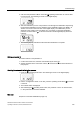
Aborting the manual initialization process
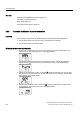
1. Press the operating mode button. The digital display shows the "INITM" parameter.
The positioner is in the "Configuration" mode.
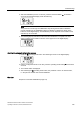
2. Exit the "Configuration" mode. To do this, press the operating mode button
for at least
5 seconds.
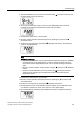
3. The software status is displayed.
4. After releasing the
operating mode button, the positioner is in the "P manual mode",
i.e. the positioner has not been initialized.
See also
Overview of device components (Page 23)
Transmission ratio selector (Page 50)
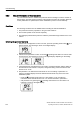
9.4 Copying the initialization data when replacing a positioner
● Electropneumatic positioners can be replaced in a running system without interrupting the
process.
● By copying and transferring the device and initialization data, it is possible to commission
a replacement positioner without needing to initialize it.
● An electropneumatic positioner uses the communication interface to transfer data.
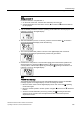
NOTICE
Deferred initialization
Initialize the replacement positioner as soon as possible. The following properties can
be ensured only after initializing:
• Optimum adjustment of the positioner as per the mechanical and dynamic properties
of the actuator.
• Unrestricted accuracy and dynamic behavior of the positioner.
• Deviation-free position of the hard end stops
• Correctness of the maintenance data