
User Manual

4422-954-85011_582-Trulifi Controller 6800 Controller User Manual
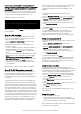
In case Automatic configuration is selected, the
application will be configured with the following settings:
1.
Network Settings => DHCP
2.
Time Settings =>
a.
Timezone = Amsterdam
b.
NTP Server 1 = time-a-g.nist.gov
c.
NTP Server 2 = time-a-b.nist.gov
3.
Admin Password => admin
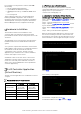
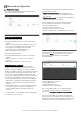
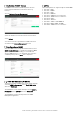
If you select to configure the system manually you can
choose how to configure the Network interface, either
using DHCP or setting the network addresses manually.
Select Network Setting
DHCP
or
Manual
and select
Next
In case Manual configuration is selected you need to
configure the following parameters:
• IP Address
• Netmask
• Gateway
• Primary DNS
• Secondary DNS
Enter your
Network settings
and select
Next
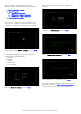
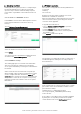
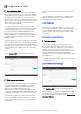
After network settings are configured, configure Time
Settings:
Configure your
Time Settings
and select
Next
:
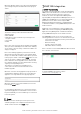
Set your
Administrator password
and select
Next
You have finished your configuration. Select
Done
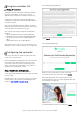
After your configuration wizard is completed, open your
web-browser and go to :
http://trulifi-controller.local
to enter the Trulifi controller General User Interface.