
User Manual

4422-954-85011_582-Trulifi Controller 6800 Controller User Manual
Using the controller GUI
Using LiFi controller.
The Trulifi controller user interface and functionality is
the same for the VM version as for the controller
application pre-installed on the Trulifi Controller Unit
The Trulifi Controller Unit comes with the application
software pre-installed. A browser-based GUI is built into
the Trulifi Controller.
The controller management pages enable to configure
parameters and to monitor the operational status of the
controller and its associated access points.
The controller GUI is supported by the following web
browsers:
• Microsoft Edge Version 87.x or higher (Windows)
•
Mozilla Firefox, Version 84 or higher (Windows, Mac)
•
Google Chrome, Version 87.x or higher (Windows,
Mac)
•
Apple Safari, Version 14 or higher (MacOS)
Note: Please ensure that your screen resolution is set to
1280x800 or more. Lower resolutions are not supported.
Configuring the controller
This section describes the required steps at first-time
setup of the Controller Unit.
Before installing and configuring the LiFi controller make
sure that you have obtained a license and stored the
license file on a known location (eg. Desktop) on your
client connected to the same network. If you have not
obtained a license file please contact :
Step 1 Controller (GUI) access
You can configure the Trulifi Controller Unit by
connecting a keyboard and a monitor directly to the Trulifi
Controller Unit.
Alternatively you can connect your Client PC to the same
network as the Controller Unit or Virtual Machine and
browse to
http://trulifi-controller.local.
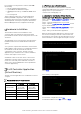
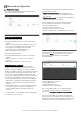
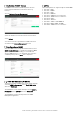
The following login page appears:
Scroll through the End-User License Agreement and
select
Agree
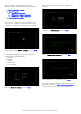
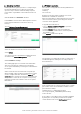
The following page appears:
Browse to the location where you have stored your
license file and select the license file. Select
Upload
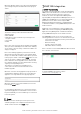
After approximately 10-15 seconds you will receive a
message that the license is correctly uploaded. After that
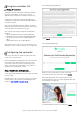
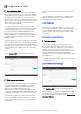
the following screen appears:
The default password of the user-interface is
admin
.