
User Manual

4422-954-85011_582-Trulifi Controller 6800 Controller User Manual
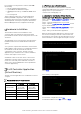
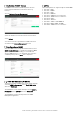
When the USB keys and access points are being updated,
a percentage text gives information about the progress
status.
The Status column provides information about the
upgrading steps:
• NOT STARTED
• Upgrading: progress indicates in percentage in the
Progress column
• Succeeded
• Failed
Note 1: the controller performs the upgrade sequentially
device per device and always in the same order: USB key,
access point, Controller. If any of this device families are
empty, it is skipped.
Note 2: the USB key upgrade is performed over the air,
which means that any interruption of the LiFi link during
this process will result in a failure, which will be reported
in the progress status column with a
failed
status. In case
of an access point or USB key upgrade failure, you have
first to finish the current upgrade session. Then restart
the complete upgrade procedure but this time selecting
only the previously failing devices.
The same process applies for any USB keys not
connected to the Access Point at the time of the
firmware upgrade
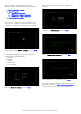
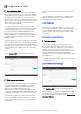
When the controller is being upgraded, a progress bar in
a new window is displayed. After 30 seconds, when the
upgrade is correctly finished, the login page appears.
When the upgrade session has terminated, click on the
bottom right
close
button.
For any USB keys which were not connected to the LiFi-
system during upgrade, a new firmware version needs to
be pushed manually once these USB-keys are connected
to the LiFi system.
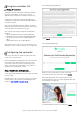
Legal
The LiFi controller is built upon several Open Source
Software packages. The complete list with the license
details can be found into the “
Legal
” page.
SNMP MIB Integration
SNMP functionality
The Trulifi Controller application can be extended with a
SNMP license. This allows users to monitor the status of
their Controllers and the respective connected
Trulifi Access Points through Network Management
Systems (NMS) via Simple Network Management Protocol
(SNMP). The LiFi MIB exposes over 360 Trulifi related
parameters. These can be retrieved by an SNMP
Management Application Platform or by Management
Command-line Utilities, issuing SNMP GET Requests to the
Trulifi Controller.
Additional, over 60 parameters can be modified using
SNMP. These can be changed by an SNMP Management
Application or by Management Command-line Utilities,
issuing SNMP SET Requests to the Trulifi Controller.
The SNMP MIB provides access to among others the
following parameters on the Access Point and/or dongle:
- General system information, memory status and CPU
status of Access Point.
- Ethernet settings
- Interface objects and status
- DNS, DHCP and QoS settings.
If the controller is licensed with SNMP this will be shown in
the Controller user interface.
To obtain a SNMP license please contact
customercare.trulifi@signify.com