
Installation guide

7
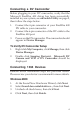
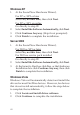
To Verify Windows Installation
1. Check Device Manger for proper installation.
For 2000/XP/Server 2003: Right click My Computer,
click Manage, then click Device Manager.
For Windows Vista: Right click Computer, click
Manage, click Continue, click Device Manager.
2. Double click 1394 Bus host controllers. Unibrain
driver/OHCI Compatible Board should be
displayed.
Ulead VideoStudio Installation
The FireWire 800 DV Kit includes Ulead
®
VideoStudio
TM
digital video editing software for producing home videos,
complete with attractive titles, transitions and sounds.
Before installing VideoStudio, make sure your FireWire
adapter and DV camcorder are properly installed and
configured. See the next two sections, ubSwitch Utility
and Connecting a DV Camcorder, for details on how to
properly install your DV camcorder.
1. Insert the Ulead VideoStudio DV software CD.
Auto-run should start automatically. If not, click
Start, Run, type in X:\Autorun.exe, then click OK.
(Replace X: with the drive letter of your CD-ROM)
2. Choose Install Ulead VideoStudio and follow
on-screen instructions to complete installation.
Note: For instructions on how to use Ulead
VideoStudio, please refer to VStudio.pdf file
located in the Manual directory on the Ulead
VideoStudio DV software CD.