
Installation guide

3
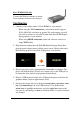
For CE-DS0111-S1 only
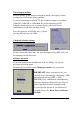
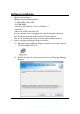
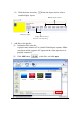
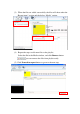
Connect the Wireless antenna as shown.
Screw antenna clockwise onto the post.
Configuring
1. Connect a video cable (either VGA or HDMI) to your monitor.
- When using the VGA connection, your monitor should support
XGA (1024x768) resolution or greater. For audio output, you will
also need to connect a stereo RCA cable from the Full-HD Digital
Signage player to your monitor.
- When using HDMI connection, audio and video are sent over a
single HDMI cable.
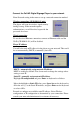
2. Plug the power adapter into the Full-HD Digital Signage Player then
plug the power adapter into a reliable power source. Shortly afterwards,
the following progress bar will be displayed on your monitor:
~90 seconds
3. Player boot process takes approximately 90 seconds to complete. The
player will indicate that it is ready for content sync via the USB port or,
if content has been loaded, begin playback immediately.
4. Plug in a USB keyboard to the unit’s USB port the player will enter the
graphical menu system in approximate 30 sec.
5. Navigate the menus using your keyboard arrows keys, space bar, enter
key, and numeral keys on your USB keyboard. Use the keyboard
arrow keys to highlight menu items, press the space bar to move the
star (cursor), and then press enter to confirm(<OK>) or reject(<Cancel>)
any changes.