
User Guide
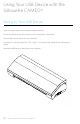

Getting Started with Silhouette CAMEO®
My Library
Browsing Designs
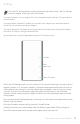
Click the My Library button to view the Silhouette designs you have on your computer.
Silhouette Studio® includes 100 free designs to help you get started. Connect your
CAMEO to your computer and power it on to get your 100 free designs.
Click the Show All Designs shortcut in the left panel of My Library to view all 100 designs included
with your software.
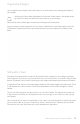
Click the icon next to the My Library folder to expand the folder and view its contents. This
folder initially contains the 100 free designs included.
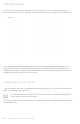
Use the View as Icons button and View as List button to change the view of
your designs in the right panel. In List View, you can sort by name, design type,
artist name, and date downloaded.
11