
User's Manual



UI Menu Function
2-20
2
4
Select
[Off]
or
[On]
, and then press
[Save]
to save the settings.
Level Printer
This function lets users level the printer.
Important
-
Sensor which is used to display the level or the printer should be used within the proper tempearature(20~30 ℃)
in order to prevent malfunction. Please run the level printer process after checking if ambient temperature is
proper.
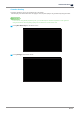
1
Press the
[Slide Menu Bar]
button from the home screen.
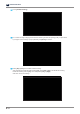
2
Press
[Setting]
.