
Users Manual




Printing
3-8
3
1.2 Printing via PC
1
Prepare the PC connected to the same network to which the printer is connected.
2
Run A Desktop SW.
3
Press the
[Print]
button.
Reference
-
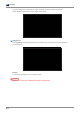
For pausing and canceling printing, please refer to “Printing from USB flash drive” for details.
1.3 Cloud Monitoring
This function lets users check the state of the machine remotely using web browser of PC or mobile device,
and receive the printing status through email.
Reference
-
Cloud monitoring may not be supported depending on models.
1 Sign Up/Login
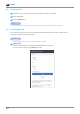
Connect to Cloud Monitoring service(https://cloud3d.sindoh.com) and login.
If you don’t have an account, click [Sign Up] to create.