
A350 - Troubleshooting-Guide


|
11
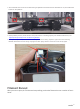
2. Remove all the cables of the Linear Modules from the Controller, and see ifthe Printing Module, Laser Module,
and CNC Module can be detected.
- Ifyes, then itmeans one or more Linear Modules are disrupting Controller Network Area (CAN)
communication. Reconnect cables ofeach Linear Moduleone by oneto the Controller,and identifywhich
Linear Module(s) is broken.
- If no, thenthe Controller itself might be broken, replacing it might solve the problem.
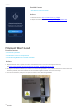
3. If the Laser Module and CNC Module can be detected by the Controller, but the Printing Module can't, then the
Printing Module itself might be broken, replacing it might solve the problem.
First Layer Doesn't Stick to Print Sheet
Possible Causes
• Calibrationis incomplete.
• Printing speedis too fast.
• Filamentis compromised.
Actions
1. Recalibrate. For detailed instruction on calibration, refer to the Quick Start Guide. If the problem persists,
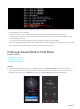
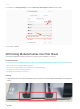
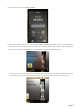
start a new printing session, and right before the filament comes out, swipe left on the Touchscreento view
the hidden menu and then tapZOffset at the bottom. Tap Up or Down to adjust the nozzle height.