
A350 - Troubleshooting-Guide


12
|
Hardware
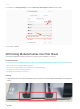
2. In Luban, go to Printing Settings to set the Initial Layer Print Speed as 8 mm/s and try again.
3. Try another filament.
3D Printing ModulePushes into Print Sheet
The 3D Printing Module clashes against the Print Sheet during calibration or printing.
Possible Causes
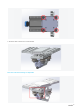
• The Y axesare not assembled properly.In this case, the 3D Printing Module is likely toclash against the Print
Sheetat the first or the fifth calibration point.
• The screws on the aluminum grid platform are installed wrongly.
• The probe sensor isn't working properly.
• The probe sensor wiring is worn out.
Actions
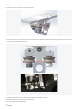
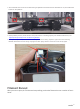
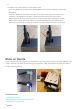
1. Check whether theY axes are securely fitted into the grooveson the Base Plate as illustrated. If not, adjust the
Y axes.