
A350 - Troubleshooting-Guide

|
13
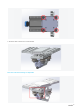
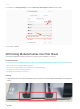
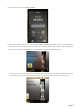
2. Check whether the screws on the aluminum grid platform face downward as illustrated.If not, re-install all the
screws on the platform.
3. If the problem persists, check whether the probe sensor is working properly.For detailed instructions, see
Adjustprobe/proximitysensorof3DPrintingModule.
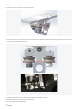
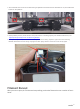
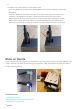
4. If the problempersists,check the condition of probe sensor wiring. Open the right cover of the Printing
Module and find the sensor wiring. Unplug itand thenplugitback in.Close the cover and try again.
Filament Runout
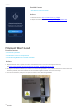
When you start a print, the Touchscreen keeps telling you thatthe filament has run out when in fact it
hasn't.