
A350 - Troubleshooting-Guide

|
15
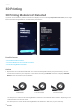
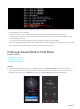
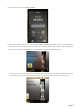
4. On the Touchscreen, go to Control>Nozzle.
5. Waitfor the nozzle to heat up until you cantaptheLoadorUnloadbutton.Make sure the nozzle temperature
matches the working temperature of the filament you are using (ABS generally requires a higher temperature
than PLA, for example). TapLoadto see if the gear inside the 3D Printing Modulerotates.
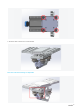
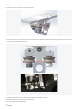
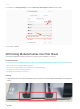
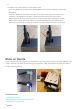
- If it does, thenuse a metal stick to poke the feeding hole(see picture below). Make sure the filament inside
is all cleaned up.Close the small window to try again and see whether the filament can load properly.