
A350 - Troubleshooting-Guide

|
27
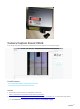
Camera Capture Doesn't Work
If the image isn't fully processed, it indicates that camera capture isn't working properly.
Possible Causes
• Your Snapmaker Luban is running the old version.
• You are not using camera capture correctly.
Actions
1. Download the latest version of Snapmaker Luban from
https://snapmaker.com/product/snapmaker-2/downloads.
2. Watch the tutorial athttps://www.youtube.com/watch?v=cult_7nTTpk&t=10s. Or, follow the steps below.
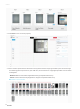
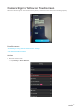
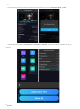
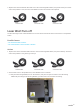
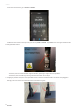
2.1 Click Calibration and adjust the square, and then click Confirm > Apply.