A350 - Troubleshooting-Guide
Manuals
Brands
Snapmaker Manuals
Robotics
2.0 Modular 3-in-1 3D Printer
31
32
33
34
35
36
37
38
39
40
32
|
Hardware
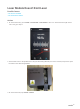
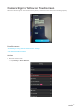
1.2 T
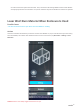
ap the image five times and the
T
ouchscreen will prompt you to Enter
Dev
eloper Mode
. T
ap
OK
.
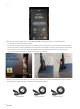
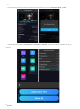
1.3 Under Developer Mode, tap
Experiment
>
Pr
eference
>
Reset All
. See if this solves the pr
oblem. If not, go
to step 2.
1
...
...
34
35
36
37
38
...
...
58