
A350 - Troubleshooting-Guide

|
35
- You will need to first replace the Controller. Then,check if the 3D Printing Module and the Laser Module
work properly with the new Controller. If not, these modules may also be broken and need to be replaced.
Laser Won't Burn Material WhenEnclosureIs Used
Possible Cause
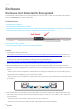
• The door of the Enclosure is openwhen the Laser Module is working.
Actions
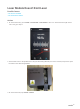
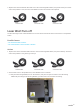
Close the enclosure doors before you start to use the Laser Module.Or,if you need the door open when using
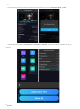
the Laser Module,turn off the door detectionfeature.On the Touchscreen, tapEnclosure > Settings >Door
Detection.
Caution: Wear the Laser Safety Goggles when the door is open.