
A350 - Troubleshooting-Guide

38
|
Hardware
Others
Power Module Doesn'tWork
The Power Module is unresponsive when turned on. The LED lightwon't flash,and the fan won't turn.
Possible Causes
• The voltage is out of working range.
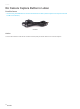
• The AC cable is broken.
• The Power Module is broken.
Actions
1. Make sure the input voltage falls into the range between 88–264 V AC, and the output voltage is 24 V.
2. Use another AC cable to test the module.The AC cable is universal.If the problem is solved, it means that the
AC cable is broken and needs to be replaced.
3. If the issue still remains after step1 and step 2, the power module itself is broken.Replacing thepower
module is needed.
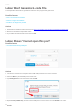
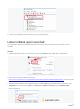
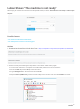
G-code FileWi-Fi TransferIs Unsuccessful
Users fail to transfer the file from the Luban to the machine via Wi-Fi.
Possible Causes
• Wi-Fi connection is cut off.
• Wi-Fi connection isunsteady.
• The SnapmakerLuban has a bug.
• The G-code file is too large.
Actions
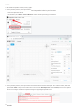
1. Check if the Touchscreen and thecomputer are connectedto the same router.
2. Download and installthelatestversion offirmwarefrom
https://forum.snapmaker.com/t/snapmaker-2-0-firmware-updates-and-downloads/5443/12.
3. Download and installthelatest version of Luban from
https://snapmaker.com/product/snapmaker-2/downloads.If this doesn't solve the problem, try the next
step. In the meantime, we would appreciate it that you file an issueon our GitHub page:
https://github.com/Snapmaker/Luban.Your feedback will motivate us to do better.
4. Try a smallerG-code file that is less than 100 MB.
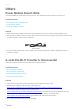
AC Power Cable