
A350 - Troubleshooting-Guide

44
|
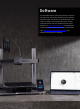
Software
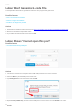
4. Re-install Snapmaker Luban, and try again.
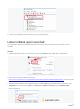
5. If theproblem persists, then proceed to t
est Snapmaker Luban in yourbrowser.
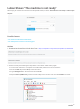
- LaunchSnapmaker Luban.
- On the Menu, clickView > View In Browser.Luban will be opened by your browser.
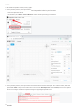
6. If the problem persists, then proceed to track information with the Developer Tool. LaunchLuban, and then
pressCtrl + Shift + Ikeys at the same time to access theDeveloper Tool.ClickConsole, andscreen capture
the error messages.Email the captured image to support@snapmaker.com.