
SolisCloud Quick Start User Guide


w: solisinverters.come: ussales
@
solisinverters.com
12 - SolisCloud / Commissioning Systems
• On the app tap the plus (+) icon in
the top right corner of the screen
and then tap “Add Plant”.
• Enter in the plant information
keeping in mind that Installed
Capacity is the size of the system,
not the inverter. Earnings per
kWH is the rate at which the utility
charges for power.
• Guests can also be added here.
• Dataloggers can be scanned
or added manually by entering
in the serial number. Once the
logger is scanned it will be added
to the system.
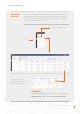
• If you are scanning the loggers
then be sure to scan the bar code
on the logger itself and not the
one on the inverter’s spec label,
see examples of the logger bar
codes below:
Adding a new plant (Mobile)
Scanning Dataloggers (Mobile)