
SolisCloud Quick Start User Guide

w: solisinverters.come: ussales
@
solisinverters.com
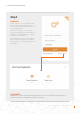
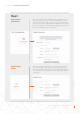
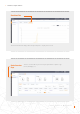
Enter in the organization name and administrator’s email address. Click on
“Verification code” to have a code sent to the email address entered. Then
type in that code in the box called “Vcode” where it says to “Input verification
code”. Enter in a username and password. The “Organization Code” will auto-
generate. Click “Another” if you want a different organization code. Check the
box by “I have read and agree” then click “Register”.
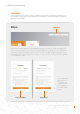
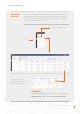
Enter in the homeowner email and then click “Verification code” to have a
code sent to the address. Then enter that code into the box called “Vcode”
where it says “Input verification code”. Enter a username and password and
check the box by “I have read and agree User Privacy Agreement” and then
click “Register”.
Registering an
Organization:
Registering an
Owner:
Step 3
5 - SolisCloud
|
4 Simple Steps to Getting Started