
SolisCloud Quick Start User Guide

w: solisinverters.come: ussales
@
solisinverters.com
Migration:
Home EditionProfessional Edition
Step 4
PLEASE NOTE:
Solis Home and Solis Pro will continue to operate so migration is optional and is only required if you would like to use
the new platform, SolisCloud. Once you have migrated to the new platform is it not possible to go back to using the old
platform, Solis Home and Pro.
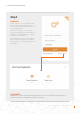
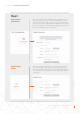
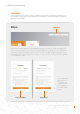
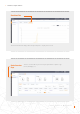
Anyone that was using the original Solis monitoring platform (Solis Home/Solis Professional) will need to migrate their
systems over to the new platform. This is done by selecting “Data Migration” in the top right corner of the login page. The
original login credentials will need to be used here. Enter the username/email address and password and then click on
“Start Migration”, please note the migration takes a few hours to complete. The systems will show up on the new platform
once the migration is complete.
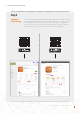
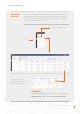
Once the registration/
migration has been
completed then you
can log in to the new
monitoring platform
on the browser and
the app.
6 - SolisCloud / 5 Steps to Getting Started