
User's Manual
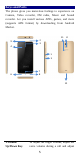
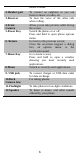

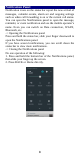
Table Of Contents
- Get Started
- Keys and Parts
- Lock and Unlock the Screen
- Notification Panel
- Arranging and Rearranging Widgets and Icons
- Adding Folders on your Screen
- Adjusting Brightness
- Changing your Wallpaper
- Make a Call
- Call Log
- Reject a Call by Sending a Busy Message
- Add a Contact
- Messaging
- Browse the Web
- Enjoy Music
- Download Applications From Android Market
- Manage Applications
- Maintenance & Safety

3
Charge Mobile Phone
Your phone is powered by a rechargeable battery. If your
phone comes up a message which notifies you that the
battery power is too low, at that moment, please recharge
the battery, if the charge is too low, it may shorten the life of
the battery.
Connect the charger to a power outlet and the micro USB
connector to the phone’s USB port. The LED flashlight on
the top of the phone is red. Once the phone has finished
charging, the light turns green and you should unplug the
charger.