
User's Manual
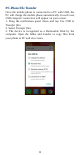
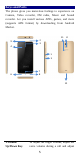
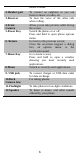
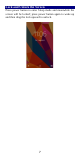
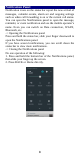
Table Of Contents
- Get Started
- Keys and Parts
- Lock and Unlock the Screen
- Notification Panel
- Arranging and Rearranging Widgets and Icons
- Adding Folders on your Screen
- Adjusting Brightness
- Changing your Wallpaper
- Make a Call
- Call Log
- Reject a Call by Sending a Busy Message
- Add a Contact
- Messaging
- Browse the Web
- Enjoy Music
- Download Applications From Android Market
- Manage Applications
- Maintenance & Safety

4
PC-Phone File Transfer
Once the mobile phone is connected to a PC with USB, the
PC will charge the mobile phone automatically. In such case,
USB computer connection will appear on your screen.
1. Drag the notification panel down and tap Use USB to
Transfer files.
2. Select Transfer files.
3. The device is recognized as a Removable Disk by the
computer. Open the folder and transfer or copy files from
your phone to PC and vice-versa.