
User's Manual
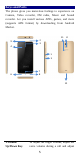
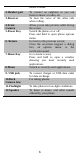

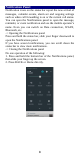
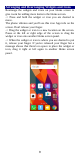
Table Of Contents
- Get Started
- Keys and Parts
- Lock and Unlock the Screen
- Notification Panel
- Arranging and Rearranging Widgets and Icons
- Adding Folders on your Screen
- Adjusting Brightness
- Changing your Wallpaper
- Make a Call
- Call Log
- Reject a Call by Sending a Busy Message
- Add a Contact
- Messaging
- Browse the Web
- Enjoy Music
- Download Applications From Android Market
- Manage Applications
- Maintenance & Safety

5
Keys and Parts
The phone gives you marvelous feelings to experience on
Camera, Video recorder, FM radio, Music and Sound
recorder. Let you install various APPs, games, and more
(supports APK format) by downloading from Android
Market.
1. Volume
Up/Down Key
To adjust the ringer volume, adjust the
voice volume during a call and adjust
4
5
10
12
3
11
1
9
6
7
8
2