
User's Manual
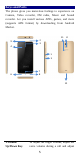
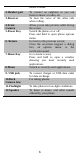

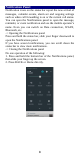
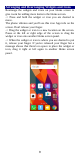
Table Of Contents
- Get Started
- Keys and Parts
- Lock and Unlock the Screen
- Notification Panel
- Arranging and Rearranging Widgets and Icons
- Adding Folders on your Screen
- Adjusting Brightness
- Changing your Wallpaper
- Make a Call
- Call Log
- Reject a Call by Sending a Busy Message
- Add a Contact
- Messaging
- Browse the Web
- Enjoy Music
- Download Applications From Android Market
- Manage Applications
- Maintenance & Safety

6
media volume.
2.Headset port
To connect an earphone so you can
listen to music or radio, etc.
3.Receiver
To hear the voice of the other side
when calling.
4.Front
Camera
Allow you to take pictures while facing
the screen.
5.Power Key
Switch the phone on or off.
Press and hold to open phone options
menu.
6. Return
Go back to the previous screen;
Close the on-screen keypad, a dialog
box, an options menu, or the
notification panel.
7.Home Key
Go to home screen;
Press and hold to open a window
showing you most recently used
applications.
8.Menu
Switch to recently used applications.
9. USB jack
To connect charger or USB data cable
for data exchange.
10.Back
Camera lens
For taking photos.
11.Flashlight
To take photos in low-light conditions.
12.Speaker
To listen to music, and other sounds
offered by your phone.