
User Manual


GX1600Page 16
TIME OFFSET TABLE
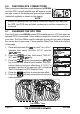
6.6 CHECKING GPS CONNECTIONS
After connections have been made between the GX1600
and the GPS, a small satellite icon will appear on the
top right corner of the display and your current location
(Latitude/Longitude) is shown on the display.
NOTE
If there is a problem with the NMEA connection between the radio and
the GPS, the GPS icon will blink continuously until the connection is
corrected.
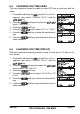
6.7 CHANGING THE GPS TIME
From the Factory the GX1600 shows GPS satellite time or UTC time when an
optional GPS is connected. A time offset is needed to show the local time in
your area. The Time Offset must be changed in order for the radio to display
the current time in your area. Please see the Offset Time Table at the bottom
of this page.
1. Press and hold down the key until “Setup Menu”
appears, then select “GENERAL SETUP” with the
/ key.
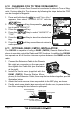
2. Press the soft key, then select “TIME OFF-
SET” with the / key.
3. Press the soft key, then press the /
key to select time offset of your location. See illus-
tration below to find your offset time. If “00:00” is
assigned, the time is the same as UTC (Universal
Time Coordinated or GPS Satellite Time).
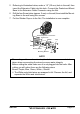
4. Press the soft key to store the time offset.
5. Press the soft key several times to return to
radio operation.