
User Manual

Page 55GX1600
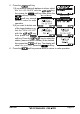
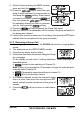
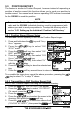
9. When finished entering the MMSI number,
press and hold the soft key.
10. Press the / key to select the oper-
ating channel you want to communicate on,
then press the soft key. If the channel
you want is not shown, press the soft
key, then press the / key to select
the operating channel you want to communi-
cate on, then press the soft key.
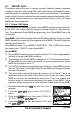
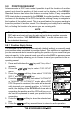
11. Press the soft key to transmit the Group Call signal.
12. After the Group Call is transmitted, all the radios in the group will switch to
the designated channel.
13. Listen to the channel to make sure it is not busy, then press the PTT button
and talk into the microphone to the group of vessels.
9.7.3 Receiving a Group Call
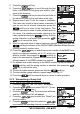
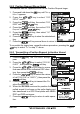
1. When a group call is received, the GX1600 will produce a ringing alarm
sound.
2. The display shows the GROUP MMSI number.
3. Press the any key to stop the alarm.
4. Monitor the channel for the person calling the Group
for a message.
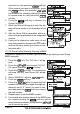
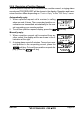
On the display you will notice 3 soft key selections. These selections are
described below:
a.
: Accept to auto switching to Channel 16.
Note: If a key is not pressed for 30 seconds or longer the radio will auto-
matically select Channel 16.
b.
: Temporarily suspend switching to channel 16.
c.
: Exit to the working channel.
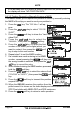
5. If you want to respond, monitor the channel to make
sure it is clear, then press the microphone’s PTT
switch and talk into the microphone to the group of
vessels.
6. Press the soft key to return to radio opera-
tion.