
User Manual

GX1600Page 60
9.9 POSITION REPORT
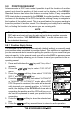
The feature is similar to Position Request, however instead of requesting a
position of another vessel this function allows you to send your position to
another vessel. Your vessel must have an operating GPS receiver connected
for the GX1600 to send the position.
NOTE
To transmit a Position Report Call, a GPS must be connected to the
radio and the GX1600 Individual directory must be programmed with
stations you wish to send your position to. To setup this directory refer to
section “9.5.1 Setting up the Individual / Position Call Directory.”
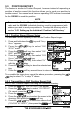
9.9.1 Position Report Ringer Setup
The GX1600 has the capability to turn off the Position Report ringer.
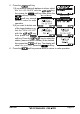
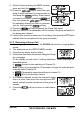
1. Press and hold down the key until “Setup
Menu” appears.
2. Press the / key to select “DSC
SETUP” menu.
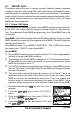
3. Press the soft key, then select “DSC
BEEP” with the / key.
4. Press the soft key, then select “POS
Report” with the / key.
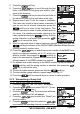
5. Press the soft key, then select “Off”
with the / key.
6. Press the soft key to store the selected set-
ting.
7. Press the soft key several times to return to radio operation.
To re-enable the ringer tone, repeat the above procedure, pressing the /
key to select “On” in step “5” above.
9.9.2 Transmitting a DSC Position Report Call
9.9.2.1 DSC Position Report Call using the Individual Directory
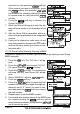
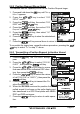
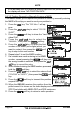
1. Press the key. The “DSC Menu” will appear.
2. Press the / key to select “POS REPORT”.
(To cancel, press the soft key.)
3. Press the soft key.
4. Press the / key to select the name in the
directory, then press the soft key.
5. Press the / key to select the nature of call
(“ROUTINE” or “SAFETY”), then press the soft