
User Manual

Page 61GX1600
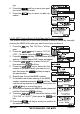
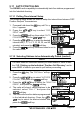
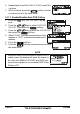
key.
6. Press the soft key to send your posi-
tion to the selected vessel.
7. Press the key to return to radio op-
eration.
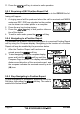
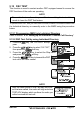
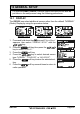
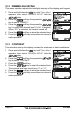
9.9.2.2 DSC Position Report Call by Manually Entering a MMSI
This feature allows you to send your position to another vessel by manually
entering the MMSI of the ship you want to send your position to.
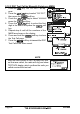
1. Press the key. The “DSC Menu” will ap-
pear.
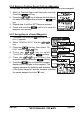
2. Press the / key to select “POS RE-
PORT”. (To cancel, press the soft key.)
3. Press the soft key. The transceiver will beep,
and the “Position Report Call” menu will appear.
4. Press the / key to select “MANUAL”,
then press the soft key.
5. Press the / key to select the first
number of the MMSI which you want to con-
tact, then press the soft key to step to
the next number.
6. Repeat step 5 to set the MMSI number.
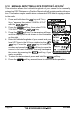
7. If a mistake was made entering in the MMSI
number, repeat pressing the soft key
until the wrong number is selected, then press the
/ key to correct the entry.
8. When finished entering the MMSI number, press and
hold the Press the soft key.
9. Press the / key to select the nature of call
(“ROUTINE” or “SAFETY”), then press the soft
key.
10. Press the soft key to send your position to
the selected vessel.