
User Manual

GX1600Page 64
9.10 MANUAL INPUTTING A GPS POSITION
(
LAT/LON
)
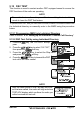
This selection allows the Latitude/Longitude of your vessel to be manually
entered so DSC Distress or a Position Report call will contain position informa-
tion. This feature maybe useful when a connected GPS fails to supply position
to the radio.
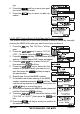
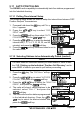
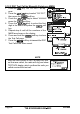
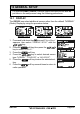
1. Press and hold down the key until “Setup
Menu” appears, then select “GENERAL SETUP”
with the / key.
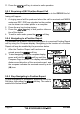
2. Press the soft key, then select “POSI-
TION INPUT” with the / key.
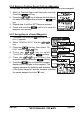
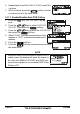
3. Press the soft key. The transceiver will beep,
and the display will be as shown in the illustration
on the right.
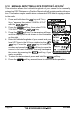
4. Enter the latitude/longitude of your vessel and your
local UTC time in the 24-hour notation by the /
key. Press the / key to select the
number and press the soft key to move the
cursor to the next character. You may backspace
the cursor by pressing the soft key, if you
make a mistake.
5. To store the data entered, press and hold the soft key.
6. Press the soft key several times to return to radio operation.