
User Manual

Page 65GX1600
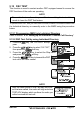
9.11 AUTO POS POLLING
The GX1600 has the capability to automatically track four stations programmed
into the Indvidual directory.
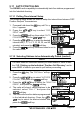
9.11.1 Polling Time Interval Setup
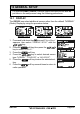
The following steps allows the radio to setup the interval time between DSC
Position Request Transmissions.
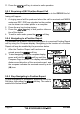
1. Press and hold down the key until “Setup
Menu” appears.
2. Press the / key to select “DSC
SETUP” menu.
3. Press the soft key, then select “AUTO
POS INTERVAL” with the / key.
4. Press the / key to select the desired
interval time (1, 2, 3, 4, 5, 10, 20, 30, and 40
minutes) and press the soft key.
5. Press the soft key numerous times to exit to
the radio mode.
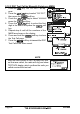
9.11.2 Selecting Stations to be Automatically Polled
(
tracked
)
NOTE
The radio uses the Individual directory to select stations. Refer to sec-
tion “9.5.1 Setting up the Individual / Position Call Directory” and to
enter MMSI of stations you want to poll before proceeding.
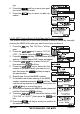
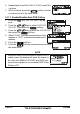
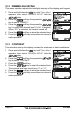
1. Press the key. The “DSC Menu” will ap-
pear.
2. Press the / key to select “AUTO POS
POLLING”, then press the soft key.
3. Press the / key to select the “SELECT AD-
DRESS”, then press the soft key.
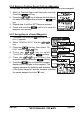
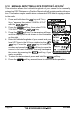
4. The radio will show 4 calling stations to be
selected, select “CALL 1” and press the
soft key.
5. The radio will show the stations programmed
in the Individual directory. Press the /
key to select the desired station and
press the soft key.