
User Manual

Page 67GX1600
9.12 DSC TEST
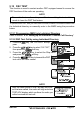
This function is used to contact another DSC equipped vessel to ensure the
DSC functions of the radio are operating.
NOTE
To use this feature, the radio you will be transmitting the test call to
needs to have the DSC Test feature.
To perform the DSC test you will need to enter a MMSI of another vessel into
the Individual directory or manually enter in the MMSI using the procedure
below.
9.12.1 Programming MMSI into Individual Directory
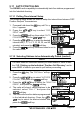
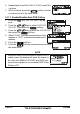
Refer to section “9.5.1 Setting up the Individual / Position Call Directory”.
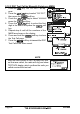
9.12.2 DSC Test Call by using Individual Directory
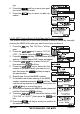
1. Press the key. The “DSC Menu” will ap-
pear.
2. Press the / key to select “DSC TEST”,
then press the soft key.
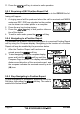
3. Press the / key to select the Ship name
and press the soft key.
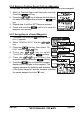
4. Press the soft key to transmit the DSC
test call to the other vessel.
NOTE
After the radio receive a Test Call reply from ves-
sel that was called, the radio will ring and show
TEST ACK display, which confirms the radio you
called received the test call.