
User Manual



GX1600Page 78
11 CHANNEL FUNCTION SETUP
11.1 CHANNEL GROUP
(
USA, CANADA or INTERNATIONAL BAND SELECTION
)
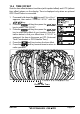
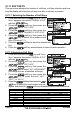
This section selects a channel group from USA, Canada, and International.
1. Press and hold down the key until “Setup
Menu” appears.
2. Press the / key to select “CH FUNC-
TION SETUP”.
3. Press the soft key, then press the
/ key to select “CH GROUP”.
4. Press the soft key.
5. Press the / key to select desired
channel group “USA”, “INTL”, or “CANADA”.
6. Press the soft key to store the selected set-
ting.
7. Press the soft key several times to return to radio operation.
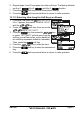
11.2 SCAN MEMORY
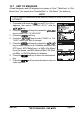
To be able to scan channels the radio must be programmed. This section al-
lows channels to be stored in scan memory.
1. Press and hold down the key until “Setup Menu”
appears.
2. Press the / key to select “CH FUNCTION
SETUP”.
3. Press the soft key, then press the /
key to select “SCAN MEMORY CH”.
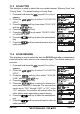
4. Press the soft key.
5. Press the / key to select a desired chan-
nel to be scanned, the press the key. “MEM”
icon appears on the display, which indicates the
channel has been selected to the scan channel.
6. Repeat step 5 for all the desired channels to be
scanned.
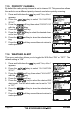
7. To DELETE a channel from the list, select the chan-
nel then press the
key. “MEM” icon disap-
pears from the display.
8. When you have completed your selection, press the soft key sev-
eral times to return to radio operation.