
User Manual


Page 83GX1600
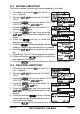
12.6 POSITION REPLY
The GX1600 can be set up to automatically (default setting) or manually send
your position when requested by another vessel. This selection is important if
you are concerned about someone polling the position of your vessel that you
may not want to. In the manual mode you will see the MMSI or persons name
shown on the display allowing you to choose to send your position to the re-
questing vessel.
Refer to section “9.8.1 Setting up a Position Reply” for setting.
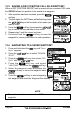
12.7 AUTO POSITION INTERVAL
The GX1600 has the capability to automatically track four stations programmed
into the Indvidual directory.
Selecting Auto POS Polling time interval between position request transmis-
sions to be setup.
Refer to section “9.11 AUTO POS POLLING” for setting.
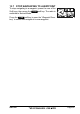
12.8 DSC BEEP
This feature allows the alarm beeps to be turned on (default setting) or off
when a DSC call is received. The DSC calls that can be customized are: Indi-
vidual, Group, All Ships, Position Request, Position Report, Geographical Call
using the procedure below:
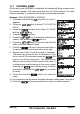
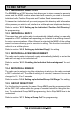
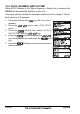
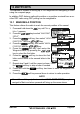
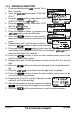
1. Press and hold down the key until “Setup Menu”
appears.
2. Press the / key to select “DSC SETUP”
menu.
3. Press the soft key, then select “DSC BEEP”
with the / key.
4. Press the soft key, then press the /
key to the desired DSC call type and press the
soft key.
5. Press the / key to turn “On” or “Off” the
DSC beep and press the soft key.
6. Press the soft key several times to return to
radio operation.