
User Manual


Page 85GX1600
13 WAYPOINTS
The GX1600 is capable of storing up to 100 waypoints and navigating to them
using the compass page.
In addition DSC distress calls with position or a position received from a an-
other DSC radio using DSC polling can be navigated to.
13.1 MARKING A POSITION
This feature allows the radio to mark the current position of the vessel.
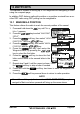
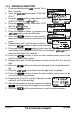
1. Press and hold down the key until “Setup
Menu” appears.
2. Press the / key to select “WAYPOINT
SETUP”.
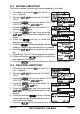
3. Press the soft key, then select “WAYPOINT
DIRECTORY” with the / key.
4. Press the soft key, then select “MARK
POSITION” with the / key.
5. Press the soft key, then enter the
Waypoint Name, by pressing the /
key to select the first letter.
6. Press the soft key to store the first
letter and to move to the second letter in the
name.
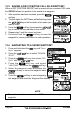
7. Repeat step 5 and 6 until the name is shown. Press
the soft key to skip a letter if needed.
8. Press and hold the soft key two times to save the waypoint into
memory.
9. Press the soft key several times to return to radio operation.
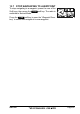
NOTE
One of the soft keys (refer to section “10.11 SOFT KEYS”) may be
assiged to Mark and when pressed will bring up the menu above.