
User Manual


Page 87GX1600
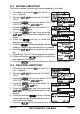
13.3 EDITING A WAYPOINT
This function allows a previously entered waypoint to be edited.
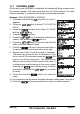
1. Press and hold down the key until “Setup
Menu” appears.
2. Press the / key to select “WAYPOINT
SETUP”.
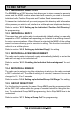
3. Press the soft key, then select “WAYPOINT
DIRECTORY” with the / key.
4. Press the soft key, then select “EDIT”
with the / key.
5. Press the soft key, then press the
/ key to select the waypoint to be
edited.
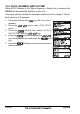
6. Press the soft key to show the
waypoint Input display.
7. Press the soft key repeatedly until the
number or letter is selected that is to be changed.
8. Press the / key to change the letter or num-
ber.
9. Repeat step 7 and 8 until the waypoint is updated.
10. Press and hold the soft key to store the ed-
ited waypoint into memory.
11. Press the soft key several times to return to radio operation.
13.4 DELETING A WAYPOINT
1. Press and hold down the key until “Setup
Menu” appears.
2. Press the / key to select “WAYPOINT
SETUP”.
3. Press the soft key, then select “WAYPOINT
DIRECTORY” with the / key.
4. Press the soft key, then select “DE-
LETE” with the / key.
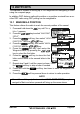
5. Press the soft key, then press the
/ key to highlight the waypoint to be
deleted.
6. Press and hold the soft key until the
radio beeps and the waypoint directory is re-
moved from the display.
7. Press the soft key several times to return to radio operation.