
User Manual






GX2000/GX2150Page 82
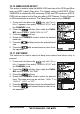
10.8 UNIT OF MEASURE
Allows Navigation and AIS displays to be shown in “Knot”, “Mile/Hour” or “Kilo-
Meter/Hour” (for speed) and “Nautical Mile” or “Kilo-Meter” (for distance).
NOTE
A GPS must be connected to the radio to be able to show SPEED and
DISTANCE.
1. Press and hold down the key until
“Setup Menu” appears, then select “GENERAL
SETUP” with the CHANNEL knob.
2. Press the soft key, then rotate the
CHANNEL knob to select “UNIT OF MEASURE”.
3. Press the soft key.
4. Rotate the CHANNEL knob to select “SPEED”
or “DISTANCE” which you wish to change.
5. Press the soft key, then rotate the
CHANNEL knob to select desired unit. Avail-
able selections are KTS (knot), MPH (Mile/Hour),
or KMH (Kilo-Meter/Hour) for speed, and NH (Nau-
tical Mile) or KM (Kilo-Meter) for distance.
6. Press the soft key to store the selected setting.
7. Press the soft key several times to return to radio operation.
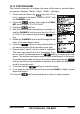
10.9 MAGNETIC
This selection allows customizing COG (Course Over Ground) indication on
the Normal and Compass pages and BRG on the Waypoint and AIS pages.
NOTE
A GPS must be connected to the radio to be able to show COG.
1. Press and hold down the key until “Setup
Menu” appears, then select “GENERAL SETUP” with
the CHANNEL knob.
2. Press the soft key, then rotate the CHAN-
NEL knob to “MAGNETIC”.
3. Press the soft key.
4. Rotate the CHANNEL knob to select “TRUE” or “MAG-
NETIC”.
5. Press the soft key to store the selected set-
ting.
6. Press the soft key several times to return to
radio operation.