
User Manual






Page 83GX2000/GX2150
10.10 NMEA DATA IN/OUT
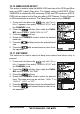
This section is used to setup the NMEA 0183 baud rate of the GPS input (Blue
wire) and DSC output (Gray wire). The default setting is 4800 BPS. When
38400 BPS is selected the AIS sentences (VDM) and DSC sentences (DSC &
DSE) both are output on the Gray wire after a DSC Distress, Position Request
or AIS transmission is received. This Setup Menu works only in GX2150.
1. Press and hold down the key until “Setup
Menu” appears, then select “GENERAL SETUP” with
the CHANNEL knob.
2. Press the soft key, then rotate the CHAN-
NEL knob to select “NMEA DATA IN/OUT”.
3. Press the soft key.
4. Rotate the CHANNEL knob to select the desired
baud rate.
5. Press the soft key to store the selected baud
rate.
6. Press the soft several times to return to ra-
dio operation.
10.11 KEY BEEP
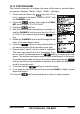
This selection is used to select the beep tone volume level when a key is
pressed.
1. Press and hold down the key until “Setup
Menu” appears, then select “GENERAL SETUP” with
the CHANNEL knob.
2. Press the soft key, then rotate the CHAN-
NEL knob to select “KEY BEEP”.
3. Press the soft key.
4. Rotate the CHANNEL knob to select the desired
level. The beep level can be set from “LEVEL 1” to
“LEVEL 6”, “HIGH”, or “OFF”.
5. Press the soft key to store the selected level.
6. Press the soft several times to return to ra-
dio operation.