
User Manual




Page 97GX2000/GX2150
13.2 DIRECTION
This function allows you to select the top of the AIS compass to be orientated
in Course Up or North Up.
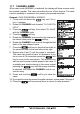
1. Press and hold down the key until
“Setup Menu” appears.
2. Rotate the CHANNEL knob to select “AIS/
COMPASS SETUP”.
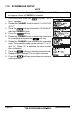
3. Press the soft key, then select “DIRECTION”
with the CHANNEL knob.
4. Press the soft key.
5. Rotate the CHANNEL knob to select “NORTH
UP” or “COURSE UP”.
6. Press the soft key to store the selected set-
ting.
7. Press the soft key several times to return to
radio operation.
13.3 ACTIVATION RANGE
This function allows you to set the range the GX2150 AIS receiver, or GX2000
with AIS input searches for targets. The default setting is 10NM.
1. Press and hold down the key until
“Setup Menu” appears.
2. Rotate the CHANNEL knob to select “AIS/
COMPASS SETUP”.
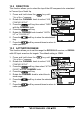
3. Press the soft key, then select “ACTIVATION
RANGE” with the CHANNEL knob.
4. Press the soft key.
5. Rotate the CHANNEL knob to select the de-
sired range.
6. Press the soft key to store the selected set-
ting.
7. Press the soft key several times to return to
radio operation.