
Instruction manual

Instruction Manual
17
Managing Your Array
View Properties of your RAID/HyperDuo Array
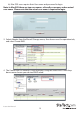
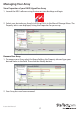
1. Launch the MSU software using the icon on your desktop, and login.
2. Select your desired array from list of Virtual Disks in the Marvell Storage Menu. The
Property tab is now displayed, listing the Properties for your array.
Rename Your Array
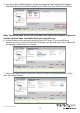
1. To rename your Array select the Name eld on the Property tab and type your
desired Name in the eld. Then click the Modify button.
2. Your Array has now been renamed.