
Instruction manual
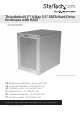

Instruction Manual
i
Table of Contents
Introduction ............................................................................................ 1
Packaging Contents ................................................................................................................................. 1
Recommended System Requirements ..............................................................................................1
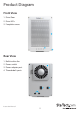
Product Diagram ....................................................................................2
Front View .................................................................................................................................................... 2
Rear View ...................................................................................................................................................... 2
Getting Started .......................................................................................3
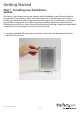
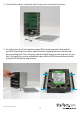
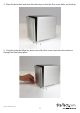
Step 1. Installing your hard drives. ...................................................................................................... 3
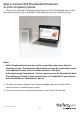
Step 2. Connect the Thunderbolt Enclosure to your computer system. ............................... 6
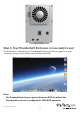
Step 3. Your Thunderbolt Enclosure is now ready to use!...........................................................7
Step 4 Install the RAID management software for hardware RAID conguration ............ 8
Software Installation ............................................................................9
Mac OSX ....................................................................................................................................................... 9
Windows 8/8.1, 7, Vista (32/64 bit) ...................................................................................................... 10
Software Operation ...............................................................................12
Create a RAID Array ..................................................................................................................................12
Create a HyperDuo Array .......................................................................................................................15
Managing Your Array ............................................................................................................................... 17
Technical Support ..................................................................................22
Warranty Information ............................................................................ 22