
V-Stack
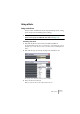
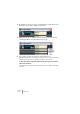
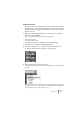
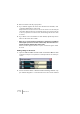
Table Of Contents

V-STACK
Audio effects 8 – 107
Setting up the sends
This can be done in the upper panels for the channel strips in the (ex-
tended mode) or in the Channel Settings window. The figures below
show the Channel Settings window, but the procedures are similar for
all three sections:
1. Bring up the Channel Settings window or the “Sends” or “Sends+”
pane in the extended Mixer.
Each of the eight sends has the following controls and options:
• A send on/off switch
• A send level slider or dial
• A pre/post fader switch (not available in the Sends+ Mixer pane)
• An Edit button (not available in the Sends+ Mixer pane)
2. Click the on button for one of the effect sends and set the corre-
sponding send level slider (or dial) to a moderate value.
Setting the Send level.
3. Pull down the pop-up menu for the send.
This is the Send Routing pop-up menu, used for routing the send to the desired effect
processor.
The first items on this menu correspond to the activated internal effects (up to eight)
while the following items route the send to buses and groups. A practical application
of routing a send to a group is described on page 116.