
V-Stack
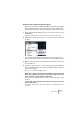


Table Of Contents

V-STACK
Audio effects 8 – 113
Editing effects
All inserts, master effect slots and effect sends (except in the “Sends+”
pane in the extended Mixer) have an Edit (“e”) button. Clicking this
opens the selected effect’s control panel in which you can make pa-
rameter settings.
The contents, design and layout of the control panel depends on the
selected effect. However, all effect control panels have an on/off but-
ton, a program selection pop-up menu and a File pop-up menu for
saving or loading programs. In V-STACK for Mac OS X these are lo-
cated at the bottom of the control panel, whereas it is at the top of the
control panel in V-STACK under Windows.
An effect control panel.
• Note that all effects can be edited using a simplified control panel (hor-
izontal sliders only, no graphics) if you prefer this. To edit effects using
this “basic” control panel instead, press [Ctrl]/[Command]+[Shift] and
click on the Edit button for the effect send or slot.
Making settings
Effect control panels may have any combination of knobs, sliders, but-
tons and graphic curves. See the documentation for each effect.