
V-Stack
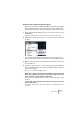
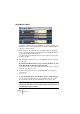
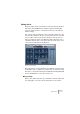


Table Of Contents

V-STACK
8 – 114 Audio effects
Naming effects
If you edit the parameters for an effect, these settings are saved auto-
matically in the project. If you want to name the current settings, the
following points apply:
• The basis for the current settings may have been a preset effect pro-
gram, in which case there is a name in the Program Name field.
• The basis for the current settings may have been a default setting pro-
gram location in which case “Init” is displayed in the Program Name
field.
In both cases, if you have changed any effect parameter settings, these
are already saved! To name the current settings, click the Name field,
type in a new name and press [Return]. The new name replaces the
previous name on the Program pop-up menu.
Saving effects
You can save your edited effects for further use (e.g. in other projects)
by using the File pop-up menu to the right of the Name field.
1. Pull down the File pop-up menu.
• If you want to save the current program only, select “Save Effect”.
Effect Programs have the Windows file extension “fxp”.
• If you want to save all programs for the effect type, select “Save
Bank”.
Effect Banks have the Windows file extension “fxb”.
2. In the file dialog that appears, select a name and location for the file
and click Save.
It might be a good idea to prepare a special folder for your effects.
Loading effects
1. Pull down the File pop-up menu.
2. Select “Load Effect” or “Load Bank”.
3. In the file dialog that opens, locate the file and click Open.
If you loaded a Bank, it will replace the current set of all effect programs. If you loaded
a single effect, it will replace the currently selected effect program only.