
V-Stack

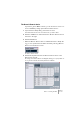
Table Of Contents

V-STACK
9 – 134 Remote controlling the Mixer
Tascam US-428
The US-428 can remote control up to 64 Mixer channels.
• When the Tascam US-428 device is added in the Device Setup dia-
log, you can open the Remote Status window by selecting “Tascam
US-428” from the Devices menu.
This indicates which bank (group of eight channels in V-STACK) is currently being
controlled by the remote device. To select another bank, use the pop-up menu in the
window or use the Bank Left/Right buttons on the remote device.
The Remote Status window
• If you hold down the function key [Null] and then move a fader, the Se-
lect and Rec indicators above the fader will indicate whether the fader
position is below or above the current fader level in V-STACK.
If the upper indicator is lit, the fader position on the panel is above the fader level in
V-STACK and vice versa. When both indicators are dark, fader positions are matched
for that channel.
• The US-428 supports “MIDI Feedback”, allowing for mute/solo, channel
selection, EQ band and Aux 1 to 4 status to be indicated on the panel.
For this (and the fader position indication described above) to work, you
need to select the “US-428 Control” port as input and output.
The following US-428 controls will remote control the following Mixer
parameter for each channel strip:
• Fader: volume
• Mute/Solo: mute and solo (selected via the Solo switch)
• Select: selects channel for editing
• Pan-Dial: pan
• EQ-Gain
Controls the EQ gain for each band selected with the Low, LoMid, HiMid and High
buttons. These correspond to the four EQ bands in V-STACK, starting from the left-
most band.