
V-Stack

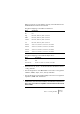
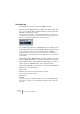
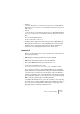
Table Of Contents

V-STACK
Remote controlling the Mixer 9 – 135
• EQ-Freq
Controls the EQ frequency for each band selected with the Low, LoMid, HiMid and
High buttons. These correspond to the four EQ bands in V-STACK, starting from the
leftmost band.
• EQ-”Q”
Controls the EQ “Q” for each band selected with the Low, LoMid, HiMid and High but-
tons. These correspond to the four EQ bands in V-STACK, starting from the leftmost
band.
• Aux 1 to Aux 4 and shuttle wheel:
The effect send levels for sends 1 to 4.
• Holding down the ”Asgn” button and pressing the Low, LoMid, HiMid and
High EQ buttons switches the corresponding EQ band “On” button status.
• Holding down the ”Asgn” button and pressing the Aux1 to Aux4 buttons
switches the corresponding Effect Send 1-4 “On” button status.
Yamaha 01V
Before you can initiate remote control operation, the 01V must be set
up in the following way:
• MIDI Parameter Change and Receive must be enabled.
• MIDI Control Change and Receive must be disabled.
• Device ID / MIDI Channel Receive must be set to “1”.
• Local Control should be set to “Off”.
As soon as Local Control is set to “Off”, remote control of the Mixer is enabled.
The 01V remote operation of the V-STACK Mixer is very straightfor-
ward, with (almost) every parameter having the equivalent parameter
controller in the 01V mixer. The current status of all controllable pa-
rameters is fed back to the 01V and indicated on the panel, using the
motorized faders, indicators, etc. (for this to work, you need a two-way
MIDI connection between the 01V and V-STACK).
To facilitate 32 channel remote control, two separate control “Layouts”
are used, each controlling 16 Mixer channels. The “Memory” button on
the 01V is used to switch between VST layout 1 and 2. Page 1 dis-
plays VST Layout 1 and page 2 VST Layout 2.