
V-Stack
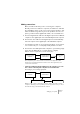
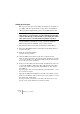
Table Of Contents

V-STACK
Setting up your system 4 – 37
Making connections
Below, we will assume that you are connecting two computers.
Should you have more than two computers, it’s still best to start with
two and add the others one by one once the system is working – this
makes troubleshooting easier if you run into problems. For two com-
puters, you will need two digital audio cables, one in each direction:
1. Connect a digital audio cable from the digital output of the V-STACK
computer to the digital input of the other VST System Link computer.
2. Connect the other cable from the digital output of another VST Sys-
tem Link computer to the digital input of the V-STACK computer.
• If a card has more than one set of inputs and outputs, choose which-
ever one that suits you – for simplicity usually the first set is best.
3. Connect the other VST System Link computer to your listening equip-
ment, using an additional set of outputs (analog or digital).
With this connection, signals will be sent in the following way:
This setup allows you to mix all sound sources in the other application (VST
Instruments from V-STACK and audio tracks from the other application), with
common mixer automation.
• If there are additional outputs available for both computers, you could
also consider connecting both computers to an external mixer.
This would give you the following signal paths:
With this setup, a mixer is required (if you want to listen to the audio from both
computers). All mixing is done separately for the two applications and you cannot
automate the mixing of the VST Instrument channels.
Computer running
V-STACK.
Computer running
Cubase SX etc.
Mixer, monitors,
etc.
Audio
Audio
MIDI
Computer running
V-STACK.
Computer running
Cubase SX etc.
Mixer
Audio
MIDI
Monitors, etc.
Audio