
V-Stack
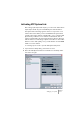



Table Of Contents

V-STACK
Setting up your system 4 – 41
Activating VST System Link
After setting up the inputs and outputs, you now need to define which
input/output should carry the actual VST System Link information.
The System Link networking signal is carried on only one bit of one
channel. This means that if you have an ADAT based system which
normally carries eight channels of 24-bit audio, once you activate VST
System Link you will have seven channels of 24-bit audio and one
channel of 23-bit audio (the least significant bit of this last channel is
what we will use for networking). In practice this makes no discernible
difference to the audio quality, since you will still have around 138dB
headroom on this channel.
To set things up we need to open the VST System Link panel:
1. Open the Device Setup dialog on the Devices menu.
2. Select the VST System Link device and make sure the Setup tab is
selected to the right.