
V-Stack
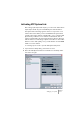
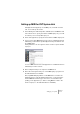



Table Of Contents

V-STACK
Setting up your system 4 – 43
Setting up MIDI for VST System Link
VST System Link supplies up to 16 MIDI ports, each with 16 chan-
nels. You set this up as follows:
1. In the VST System Link Setup tab in V-STACK, use the MIDI Ins and
Outs value boxes to specify the number of MIDI input ports you need.
For V-STACK you don’t need any MIDI output ports.
2. In the other application, specify the same number of MIDI output ports.
3. If you now check the MIDI input pop-up menu for a VST Instrument in
V-STACK, you will find the specified System Link ports added to the
list of MIDI inputs.
Similarly, MIDI tracks in the other application will have a number of System Link MIDI
output ports.
To route a MIDI track from the other application to a VST Instrument in
V-STACK, proceed as follows:
4. Select a System Link port as output for the MIDI track.
5. Select the same System Link port on the MIDI input pop-up menu for
the VST Instrument in V-STACK.
Now, any MIDI data played back on the MIDI track is routed to the
VST Instrument. To play the VST Instrument live, you would need to
activate MIDI thru/monitoring for the track or record enable it (de-
pending on the application), so that incoming MIDI is routed to the
track’s output (i.e. to the VST Instrument in V-STACK).