
V-Stack
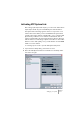
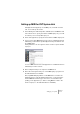



Table Of Contents

V-STACK
4 – 48 Setting up your system
Optimizing processor scheduling (Windows only)
To get the lowest possible latencies when using ASIO under Windows
2000 or XP (on a single CPU system), the system performance has to
be optimized for background tasks:
Windows 2000
1. Open the Control Panel from the Start menu and select System.
2. Select the Advanced tab and click the Performance Options button.
3. In the dialog that appears, select “Optimize performance for: Back-
ground services”.
4. Click OK to close the dialogs.
Windows XP
1. Open the Control Panel from the Start menu and select System.
2. Select the Advanced tab and click the Settings button in the Perfor-
mance section.
The Performance Options dialog appears.
3. Select the Advanced tab.
4. In the Processor Scheduling section, select “Adjust for best perfor-
mance of: Background services”
5. Click OK to close the dialogs.
Related Information (Windows only)
ACPI vs. Standard PC mode
Windows 2000 users should consider the important information relat-
ing to audio performance as presented on the Steinberg Knowledge
Base. The address is “http://service.steinberg.net/
knowledge_pro.nsf/show/acpi_and_audio_performance”.